
Why TechSwap
Get to know TechSwap
01
Verified every step
02
Fair, transparent pricing
03
Secure payments

The latest sale posts, ordered newest to oldest.
Pre-owned iPhones and phones of every brand from TechSwap sellers.
Pre-owned MacBooks and laptops ready to use.
Pre-owned iPads and tablets for every lifestyle.
Smartwatches, headphones, and pre-owned tech accessories.
01
02
03
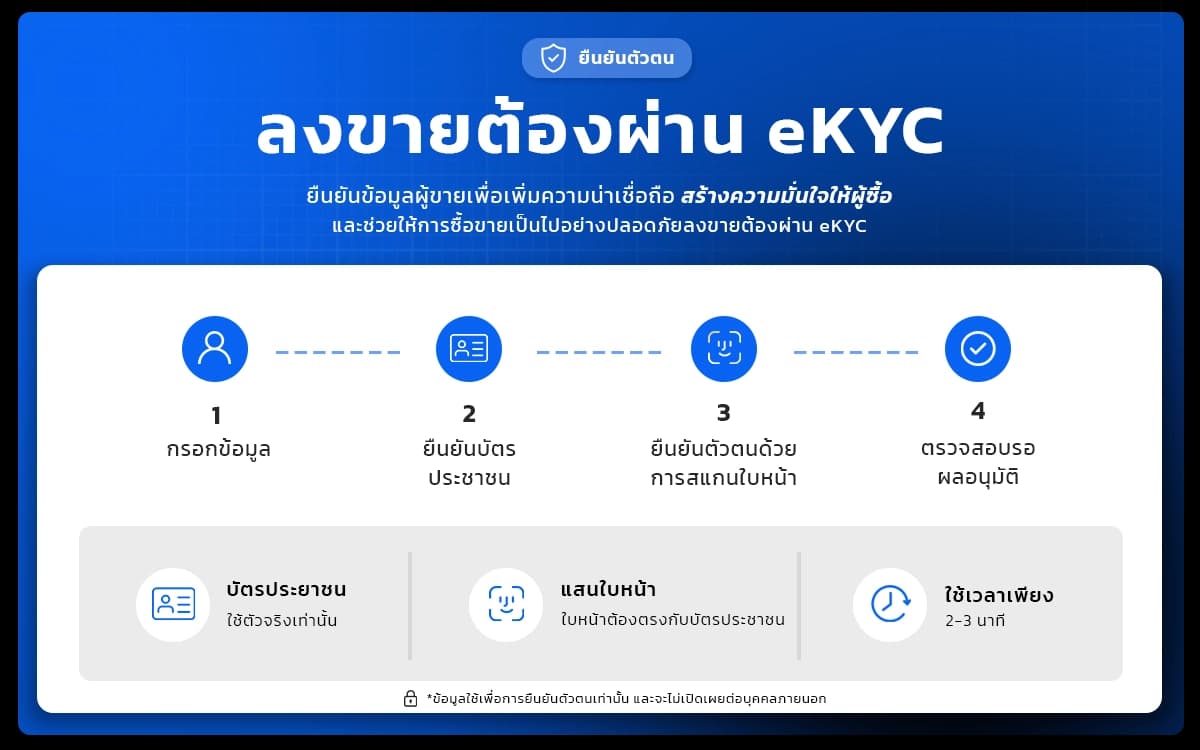
DOPA eKYC adds a verified-seller badge to your listings.
Short clips on the gadgets, the prices, and the people behind each deal.

Creator who loves IT gear and fills the house with gadgets · 14.3K
When I buy a used phone online, what worries me is not knowing who the seller really is, and whether what arrives matches what was listed. What I like about TechSwap is that seller verification status is visible, every item is inspected before it reaches the buyer, and there is buyer protection if an item does not match what was agreed. Steps like these take the worry out, and make buying a used phone online a whole lot easier on the mind.





Links to popular categories, brands, and search pages on TechSwap
TechSwap is Thailand's used tech marketplace for buying and selling verified used phones, laptops, tablets, and other technology. Buyers can start in the marketplace and browse by brand, model, category, or price range.
A product detail page shows the available photos, model, storage, color, condition, price, and seller information. Review the full listing and compare relevant products before starting an order.
Before buying, check visible damage, included accessories, usage history, and the pickup or delivery location. Ask the seller about anything that is unclear through the contact options provided by the platform.
Do not compare only the lowest price. Consider the completeness of the listing, device condition, delivery convenience, and seller information together so the choice fits your actual use.
Sellers can create a used technology listing with useful details such as brand, model, storage, color, condition, price, photos, and known defects. Clear information helps buyers understand the item and reduces repeated questions.
The pickup location should match the real handover point. The platform uses the listing coordinates and address details to organize pickup, so sellers should verify the map pin, address, and contact phone before publishing.
After a buyer pays, the seller can see the order and required actions in the profile. Prepare the item and confirm the sale within the time shown by the system so delivery can begin on schedule.
Bright photos from several angles help buyers evaluate an item. Describe both strengths and defects honestly, and mention included accessories, receipts, or warranty terms when they are available.
TechSwap is designed to show important information before a buyer or seller commits to a transaction. Listings show seller verification status and the information entered by the seller for review.
Use the listing and order information as the basis for a decision. Do not transfer money outside the platform or share passwords and verification codes. Stop and contact the team if a request looks suspicious.
Order statuses and notifications help both sides follow each step. Users can review their order history, payment status, and delivery progress from their profile.
Identity verification and order history provide useful context, but they do not guarantee the condition of every item. Buyers should still read the listing and inspect the product under the stated terms.
After choosing a product and delivery address, the checkout page shows the item price, delivery fee, and applicable service fees before confirmation. Review the total and destination details every time.
QR PromptPay payments must be completed within the time shown on the payment page. Each QR is tied to one order and one amount, so do not use it for another order.
After payment, wait for the system to verify the transaction and keep the payment evidence. The order status is updated after the trusted payment provider returns the result.
If a QR expires or a payment fails, do not reuse the old QR. Return to the order and create a new payment attempt according to the status shown by the system.
Buyers can choose a delivery address and review its map pin before payment. An accurate address helps the driver collect and deliver to the right place. Include the house number, building, floor, and a useful contact detail.
After the seller confirms, the order shows delivery stages such as awaiting pickup, courier assigned, collecting the item, in transit, and delivered. Buyers and sellers can follow progress from the same order.
When the item arrives, inspect it and confirm receipt within the stated period. If the item does not arrive or has a serious issue, report it through the order so the team can investigate.
Keep the phone available during the delivery window and watch order notifications. Driver details, job number, and schedule appear when the delivery provider returns that information to the platform.
Before buying, check the model, storage, condition, price, included accessories, delivery point, and receipt terms. Review every product photo and ask about important details before confirming the order.
Before selling, verify the listing details, price, pickup coordinates, contact name, and phone number. Pack the item securely and have it ready before the courier pickup window.
Using the platform keeps the order history and status available for review. For questions about an account, order, payment, or delivery, contact TechSwap through the support channel shown on the website.
Use current and accurate information for your name, phone, address, and map pin. Reviewing these fields before confirmation reduces delays and helps prevent delivery to the wrong place.